Stay with my passage
I open Instruments inside Connected Sailing while the passage keeps recording.
 Connected Sailing
05 / Under way
My instruments, arranged around the way I sail Jocelyn.
See how it helps ↓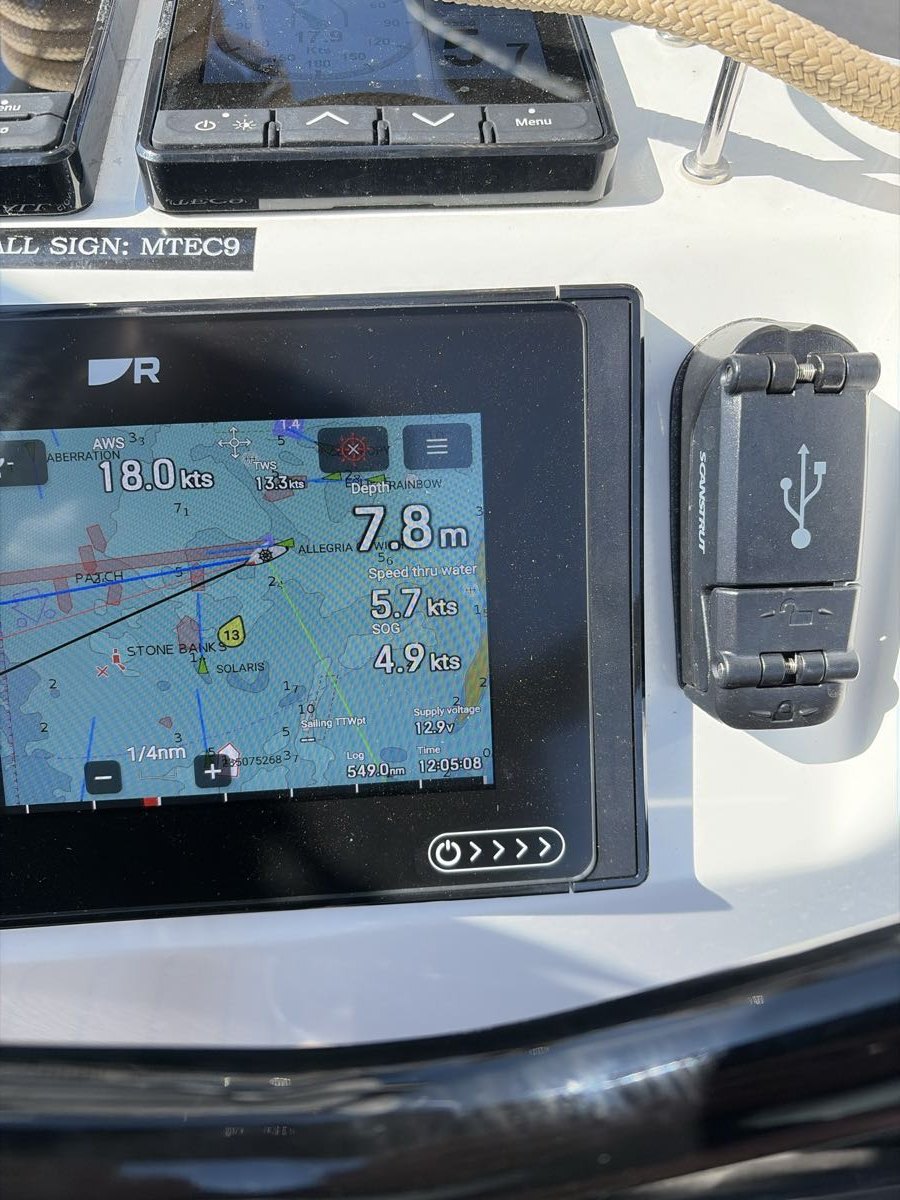
How it helps me aboard Jocelyn
I open Instruments inside Connected Sailing while the passage keeps recording.
The received-data view helps me see the sources and ages of readings when I need to investigate.
The separate Instruments app gives me saved nugget layouts and guided performance comparisons.
The iPad is the centre of my working setup aboard. Connected Sailing brings together received instrument readings with recorded engine, sail and keel states, while I manage the passage, observations and enabled features from the same app. Speed, course, depth and conditions make more sense in that context.
Connected Sailing now opens the familiar instrument display from inside a running passage. Alongside it, the separate Jocelyn Instruments app provides the more customisable Instrument Lab. Its Instrument Lab uses little information tiles called “nuggets”: I choose the readings, move them around and make important ones larger. I can name and save different screens, so the information fits the way I want to sail rather than a fixed dashboard.
I can switch between those saved layouts as the job changes, with up to eight screens and twelve nuggets on each. The nuggets show where a reading came from and how recently it arrived; stale values are cleared so an old number does not quietly look current. It is a practical way to keep an eye on the boat while the display is in use.
When I record an engine or sail change, that state can follow through into the working log, the paper record and the live safety summary. I should not have to tell each part of the system the same thing separately.
The Performance & trim view brings measured speed through the water together with the available wind and boat readings. Where supported, I can compare performance with a provisional reference for the selected sail configuration. It gives me a useful starting point for learning, rather than an exact promise of what Jocelyn ought to achieve.
A guided trim session measures a baseline, suggests a small adjustment and waits for me to make it. Once the boat has settled, it measures again. The comparison considers speed, changing wind and available heel or rudder readings: an extra puff of wind should not automatically get the credit for better trim. The result can be better, worse, no clear improvement or inconclusive.
During an active session the process can continue with fresh comparisons, and saved trial evidence helps me look back at what happened. Repeated comparable results can influence later suggestions. That turns “I think that helped” into something I can examine, without pretending that every change proves a cause.
Supply-voltage trends offer a rough indication of rising, falling or steady voltage. They are useful context aboard, while the battery’s own app remains the place for precise battery readings. These private details stay out of the automatic public safety updates.
My setup on screen
The separate Instruments app provides configurable screens and a performance workspace. Connected Sailing adds its own received-instrument and boat-state views, including pressure history. These are real interfaces using example readings.
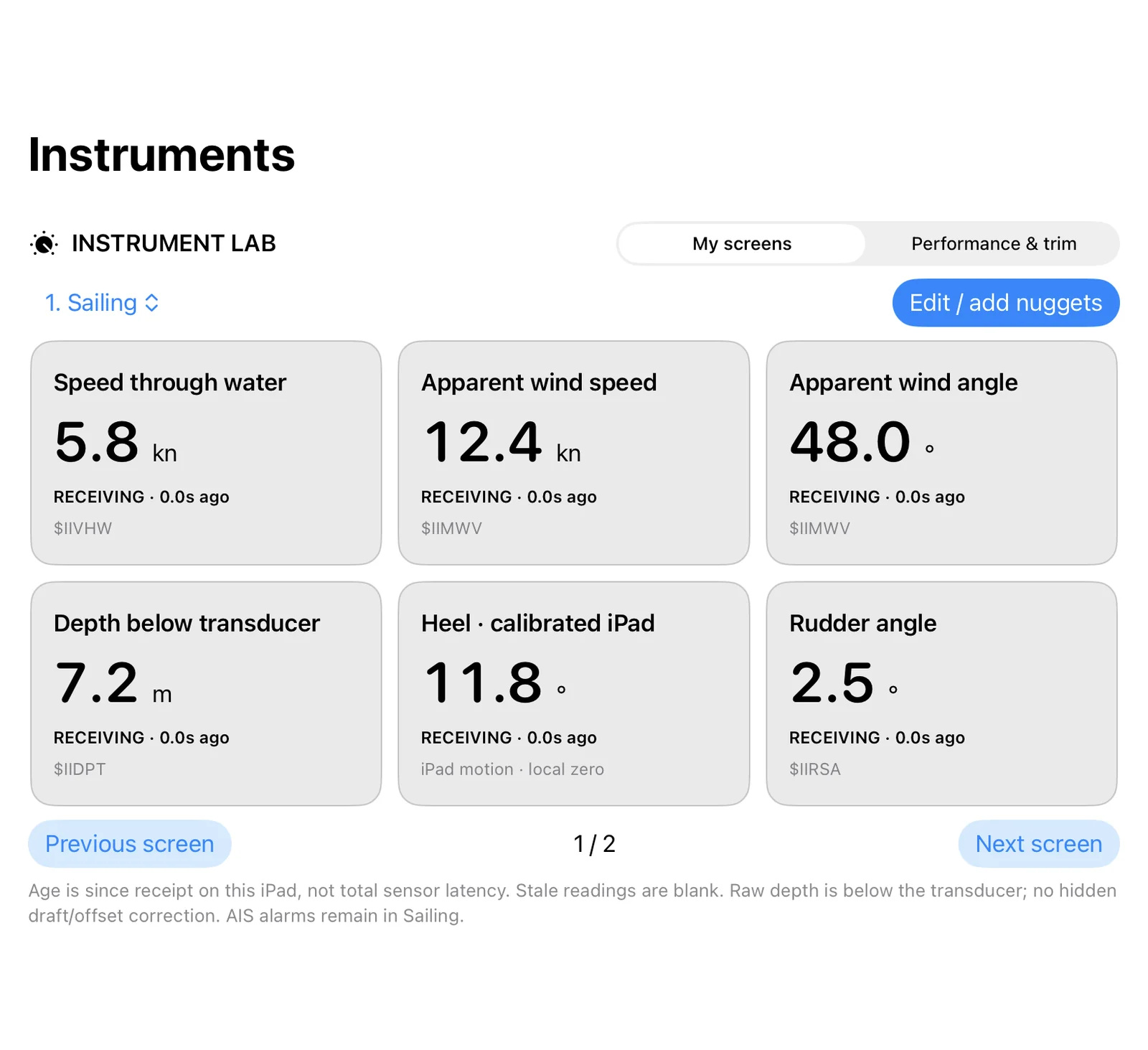
I choose a screen for the job: speed through water, apparent wind, depth, heel and rudder are together here. Real Instrument Lab interface from the separate Instruments app, using demonstration readings. It supports up to eight saved screens with twelve nuggets on each.
Enlarge screenshot ↗
I name a screen, add measurements, reorder the nuggets and make important readings larger. This is the actual editing interface with example readings; saved layouts can be changed for different jobs aboard.
Enlarge screenshot ↗
The separate performance workspace supports before-and-after trim trials and a provisional polar reference. This demonstration shows the controls; no completed trial or verified performance improvement is claimed.
Enlarge screenshot ↗
The barometer keeps a chosen marker, pressure changes and recorded history together. Real Connected Sailing screen with simulated readings; the dial colours are not a weather forecast.
Enlarge screenshot ↗It connects with…